

ACCOUNT
Account access
See which details are requested, where phone confirmation appears and how to return when a password…
88ii brings Live Blackjack Grand, Sriwijaya Gold Megaways and Liga 1 Mix Parlay into one account, with DANA and QRIS status shown beside the cashier.
Access is available only where local law permits.

Casino rooms, slot searches, streamed tables, fishing games and sportsbook markets sit together in a lobby shaped for quick switching.
Recognisable releases from Pragmatic Play, PG Soft and Habanero sit beside titles from CQ9, Joker and Spadegaming in our searchable casino lobby.
DANA and QRIS appear first for short mobile cashier paths, while OVO and GoPay show their wallet status on the same screen.
Some decisions need more than a game tile. Our durable pages explain account access, game categories, wallet handling, support routes and policy wording.



Start with the account menu rather than searching across separate pages. We show the phone confirmation step, available lobby areas, wallet status and account controls in…
Enter the requested account details and a reachable mobile number. We send the phone confirmation step before account access so you know which number is connected to your profile.
Open your profile to confirm your name, mobile number and wallet details. Matching account data helps us handle later receipt checks and withdrawal verification without avoidable back-and-forth.
Your account connects slots, live casino, fishing games and sportsbook markets. Use the category tabs to move from Sriwijaya Gold Megaways to Live Blackjack Grand without opening another account.
Use a private password and complete phone confirmation before entering the account. If your login stalls, contact our help team from the support link near the account menu.
Account and transaction questions are easier to trace when you contact us from the relevant screen. Use live chat for an active login or wallet status, email for a case needing attachments, and mobile help when navigation is unclear on a smaller screen. Current service hours appear inside the support panel before you begin a conversation.
Open chat from the account or cashier area for an active login, phone confirmation or wallet status issue. Send the transaction reference, but never include your account password.
Use the email route shown in our contact area when a receipt or longer explanation is needed. Include your account identifier, transaction reference and the time shown by your wallet.
Tap the help link in the mobile account menu if a lobby tab, cashier step or confirmation screen is difficult to locate. The path stays inside the browser layout.
The mobile site keeps login, wallet status and lobby tabs in one browser path, with no separate app required.
Phone confirmation comes before account access, giving you a clear checkpoint between profile creation and the lobby.
We connect account access to the mobile number entered during creation. Complete the displayed confirmation step, and contact us through the account help link if the message does not arrive.
Enter your password only on the account screen. Do not send it through live chat, email or a transaction receipt, even when you are asking us to investigate access.
Names and wallet details should match the account record used for cashier activity. Consistent details help us complete receipt checks and any verification required before a withdrawal is processed.
Open the rules attached to each title before starting. Table limits, slot features, crash mechanics and sportsbook settlement conditions differ, so the relevant game page is the source to check.
Scattered links and offline recommendations can leave you guessing about game sources, wallet routes or account steps. Our home page puts the relevant paths together and keeps their labels consistent.
Slots, live casino, fishing games and sportsbook markets use one account menu. You do not need separate profiles when moving from Sriwijaya Gold Megaways to a football market.
Local wallet rails are selected from the cashier rather than a forwarded payment message. DANA, OVO, GoPay and QRIS status appears with your account transaction record.
Search by title or category instead of following an old screenshot. The lobby can take you directly to Live Blackjack Grand, Limbo Fast Round or Aviator Crash Game.
Support links sit beside account and cashier screens, giving you a direct route when access or transaction status stalls. Service hours are displayed in the support panel.
The browser layout keeps the same main categories across phone, tablet and desktop. Controls resize, but your account, cashier, lobby and help routes retain familiar labels.
Footer links provide account conditions, privacy wording and regional access terms. You can read the applicable wording directly instead of relying on an informal summary from another source.
Game behaviour differs by category, so we do not publish one return figure for the entire lobby.
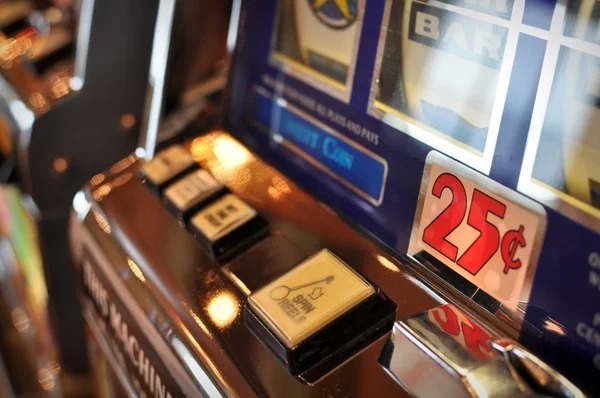
Check the individual title panel for displayed return data, paylines, feature rules and stake range.
Read the table limits and game rules before joining baccarat, roulette, Dragon Tiger or blackjack.
Open the rules panel to understand multiplier movement, round timing and the available exit control.
Inspect control descriptions, stake settings and target mechanics before entering Fishing War Mobile Play.
Market pages display selections, prices and settlement conditions for football, badminton and basketball.
RTP percentages are informational reference values from provider documentation. Actual session outcomes vary.
Our mobile and desktop pages are configured for customers in Indonesia, including people connecting from Yogyakarta. Regional availability depends on local law, and access may vary with your location or network. Before creating an account, check the terms linked in the footer and confirm that your mobile number can receive the required account message. DANA, OVO, GoPay and QRIS appear only where their cashier routes are supported.
The home experience is defined by elements you can see and use: named games, category tabs, local wallet rails, account confirmation, responsive screens and nearby support.
Live Blackjack Grand, Limbo Fast Round and Fishing War Mobile Play appear as searchable titles. Clear naming helps you return to a game without opening unrelated category pages.
DANA, OVO, GoPay and QRIS sit together in the cashier selection. Each route leads to its own instructions and transaction status within your account.
A clear mobile confirmation step appears before account access. This reduces confusion about which phone number belongs to the profile and where confirmation must be completed.
Casino, slots, live tables, fishing games and sportsbook markets share the main navigation. Move between categories without leaving your account or returning to an external page.
Menus compress for phone use and expand on tablets or desktop displays. The cashier, account and support controls keep their places even when the game area changes size.
Live chat, email assistance and mobile help are linked near account activity. This shortens the route when a login, receipt or wallet status needs a closer check.
These answers cover the questions we receive about the 88ii home page, including account access, lobby content, local wallets, device use and support. Check them before opening an account, particularly if you need phone confirmation or want to know how cashier status and regional availability are displayed.
Begin at the account area if you still need phone confirmation. Once access is complete, use the lobby tabs for casino, slots or sports, and open the cashier only when your account…
Open the account area to enter the requested details and complete phone confirmation. Check your profile name and mobile number before moving to any cashier activity.
Choose slots, live casino, fishing games or sportsbook from the main tabs. Search tools narrow the lobby by title, studio or game type on supported screens.
Select DANA, OVO, GoPay, QRIS, virtual account or bank transfer from the listed rails. Follow the displayed steps and retain your receipt until confirmation appears.
Use live chat for an active issue, email when attachments are needed or mobile help for navigation questions. Current service hours are displayed within the support area.